This is a virtual pet program that allows you to make your own custom pets to take care of! (For Windows)
Features:
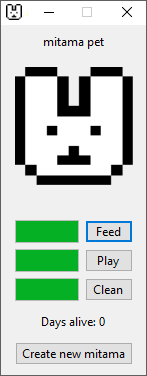
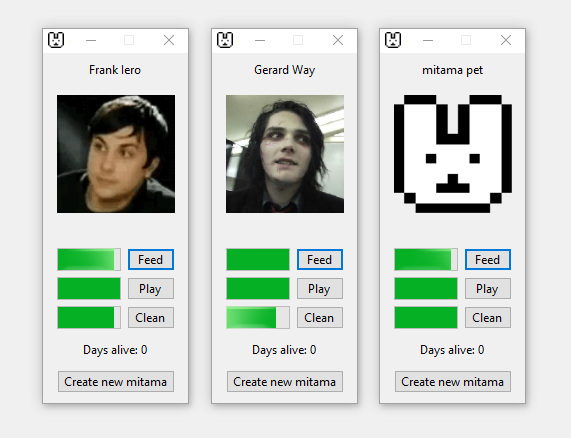
- Pins window to top, making sure that you never forget to take care of your pet
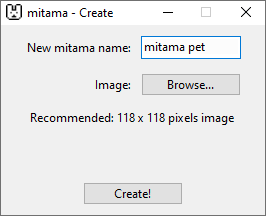
- Simple interface for creating new pets, just write down a name and select a square image
- Saves data so that you can always come back to the same pet
- Day counter showing how many days your pet has lived (Only counts runtime hours)
- Slow needs decay, allowing you to focus on tasks without the intense worry of a pet dying
Instructions:
Unzip the .zip file and run the program by either clicking the 'mitama' or 'mitama.exe' file.
I've provided a shortcut file to the program called 'mitama', you can place this on your desktop or wherever else you wish for easy access.
A 118 x 118 pixels image is recommended because no stretching will be done to the image. Larger sizes may appear fine but smaller sizes could look blurry and non square images will result in stretching along one direction.
Note: A 'Windows SmartScreen' message may appear when attempting to run the program. This messsage appears because I am not a verified publisher/developer. This message does not mean that the program itself is dangerous, it is simply letting you know that you are about to run a program that came from some random person, which can be risky! If you wish, you may upload the files to Virustotal and come up with your own conclusion there.
Uninstall instructions:
If you wish to remove the program you may remove all the files from the output of the .zip file.
The program also saves data in '/AppData/Local/mitama', the only files saved here are image files and .json files. If you wish to remove this data you may delete the mitama folder in the 'Local' folder.